
Users Frustrated with Anthropic’s Restrictions
Recently, Anthropic has been rolling out various features while simultaneously tightening usage restrictions, leading to widespread frustration among users in the comments.
As one of the most restrictive among the big three (OpenAI, Google, Anthropic), Anthropic has now implemented identity verification, requiring real-name registration to use its services. Just this morning, they also revoked the Claude Code access for Pro users ($20/month).
Anthropic’s growth lead responded, mentioning that they are conducting a small-scale test on about 2% of new Pro user registrations, with existing Pro and Max users unaffected. They acknowledged that their current subscription plans cannot accommodate the high token consumption by users and are exploring new payment options.
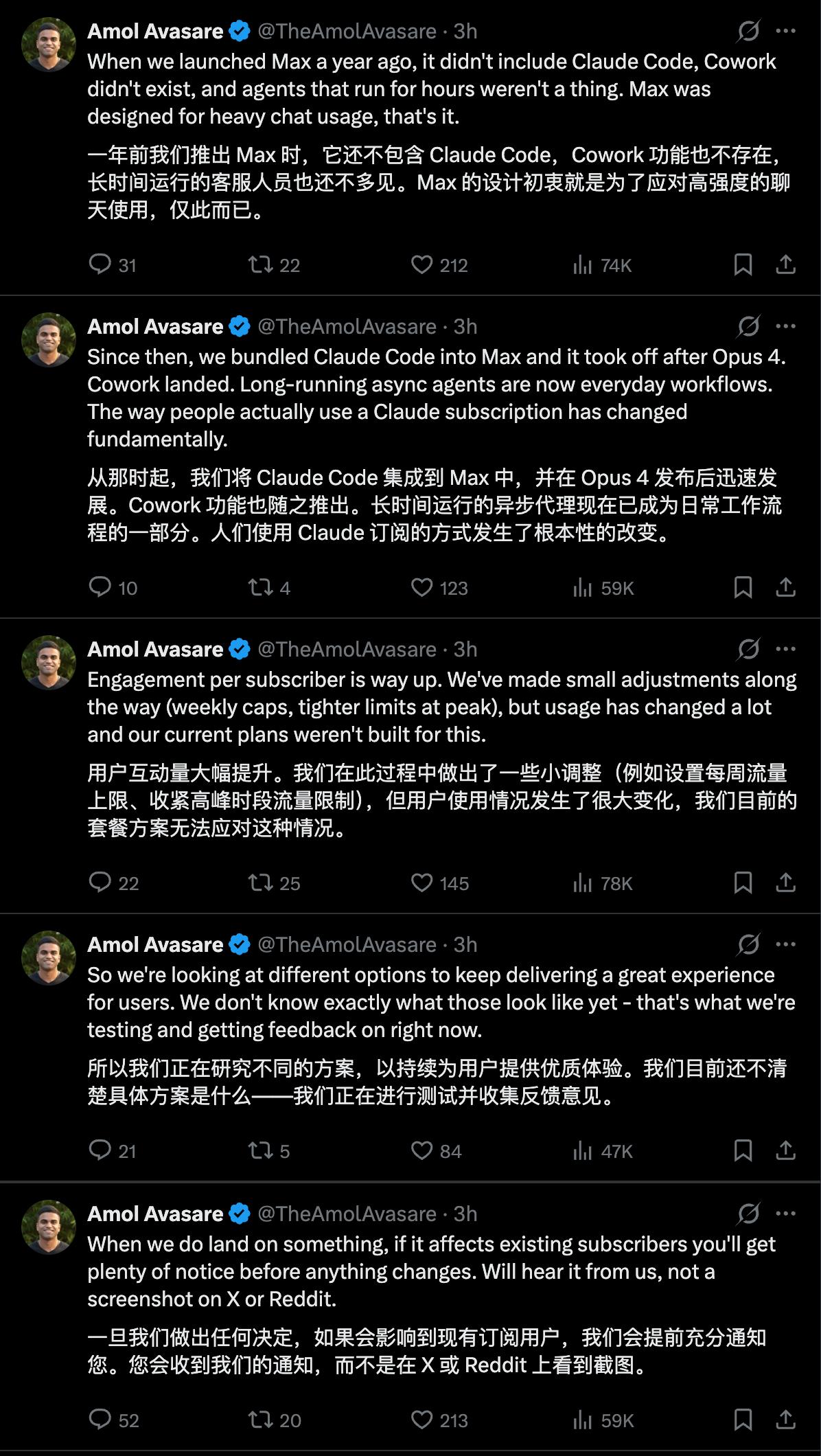
OpenAI quickly responded to the controversy surrounding the removal of Claude Code access for Pro members. Rohan Varma, a lead at Codex, directly challenged Claude Code, even mimicking its post format.

While Anthropic is testing more expensive plans for 2% of users, Codex is offering its services to 100% of users, allowing both free and paid plans to access Codex. They cheekily added that Claude Code users would not be affected.
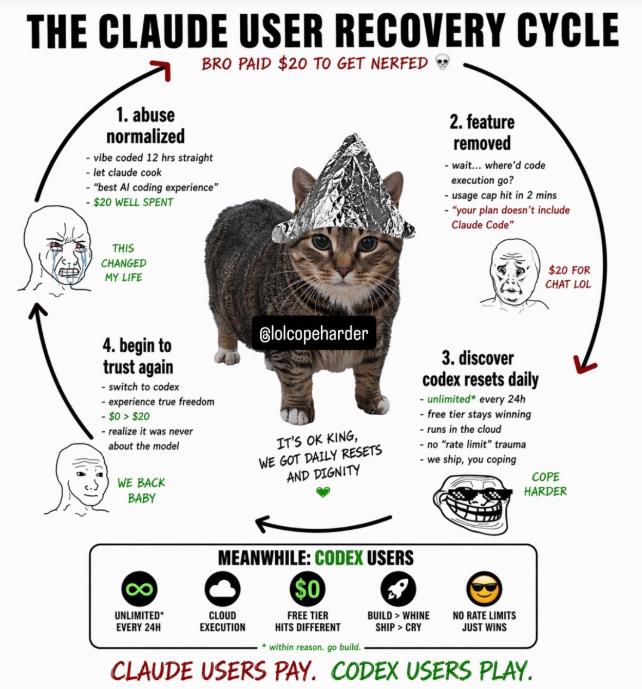 Claude Code users PAY, Codex users PLAY
Another Codex lead, Tibo, also tweeted that Codex will continue to offer a free version and a PLUS version ($20/month), emphasizing that OpenAI has sufficient computing power and advanced models to support Codex’s operations.
OpenAI’s CEO also retweeted this, expressing, “We hope you can have abundant AI.”

Codex has maintained a relatively positive reputation on social media, especially after OpenAI’s recent push to allow everyone to experience Codex by resetting usage limits across all subscription plans.
In early April, Codex noticed an increase in users hitting usage limits without understanding the reasons behind it, so they decided to reset the limits for all users. Just days ago, to celebrate Codex’s anniversary and the launch of new features, they reset usage limits once again.

Today, Codex’s lead and OpenAI’s CEO tweeted that Codex added 1 million new users in less than two weeks, celebrating this milestone with yet another reset of rate limits.

Last week, on the day Anthropic released Opus 4.7, Codex updated with a host of important features, including Computer Use, a built-in browser, persistent memory, and over 90 plugins.
These updates directly compete with the features of Claude Cowork, transforming Codex from a tool primarily for developers into an efficiency assistant suitable for all computer scenarios.
Yesterday, building on the previously launched memory feature, Codex introduced a research preview feature called “Chronicle,” which allows the AI to read our screens and organize our recent activities into memory.
Codex no longer relies solely on chat history to understand context; by combining the recent screen content it reads, it can accurately interpret our references when we say “this” or “that.”
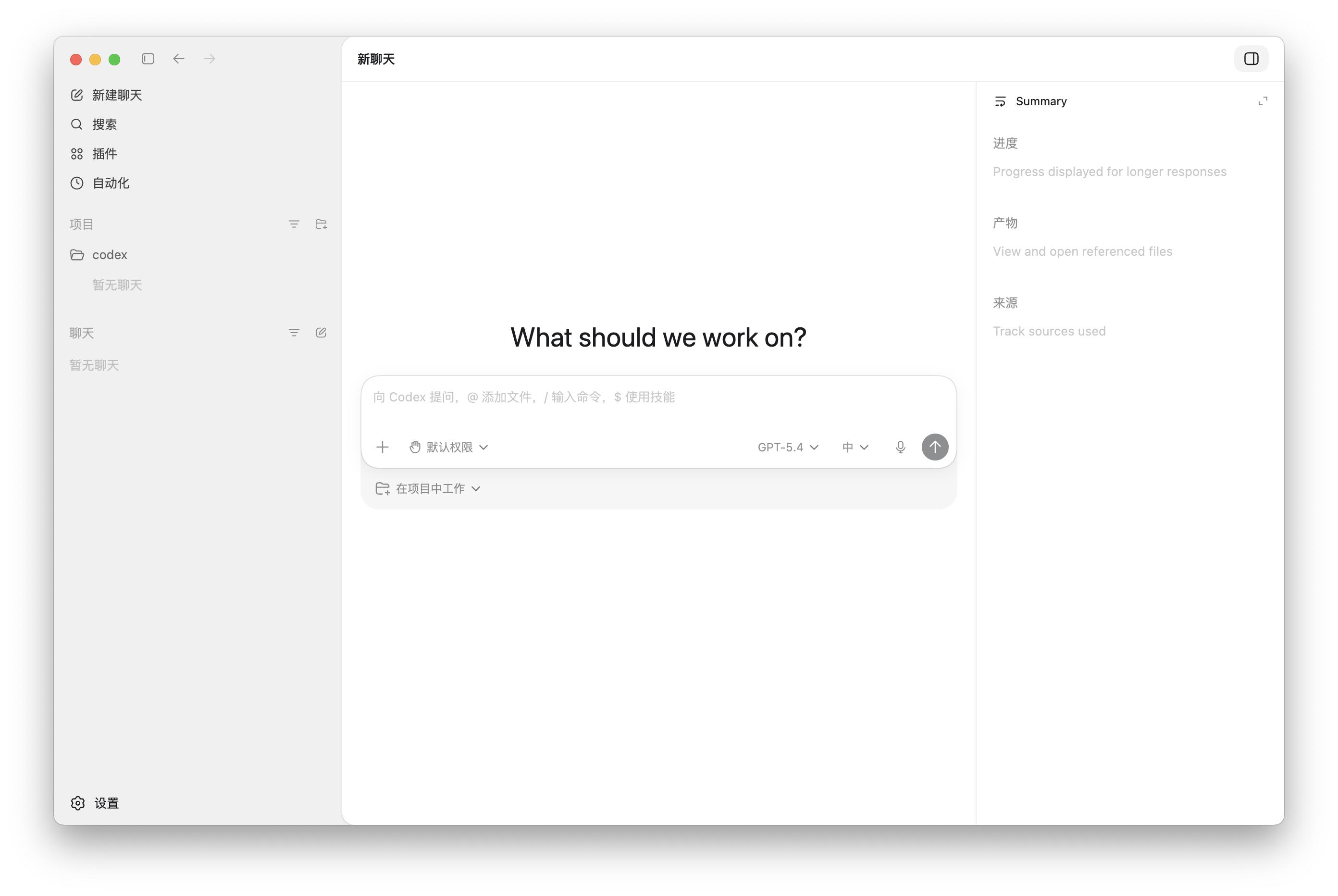
The newly released GPT Image 2 has also been integrated into Codex, enabling us to generate and iterate images within Codex for tasks ranging from product prototyping and front-end design to visual effects and game development.
If your Claude account is frequently suspended, preventing you from using the official Claude Cowork or Claude Code desktop version, or if you are among the 2% of new users who cannot access Claude Code even after subscribing to the $20/month Pro plan, consider trying OpenAI’s Codex.
From Code Tool to All-in-One Assistant
The most significant update for Codex recently was the release of Computer Use last week. This capability is not entirely new; previously, the model had the ability to use a computer, but now it requires tools and support to fully utilize its capabilities.
Essentially, the Agent tool can operate a computer like a human, using visual recognition, clicking, and inputting commands to autonomously control various applications on the computer.
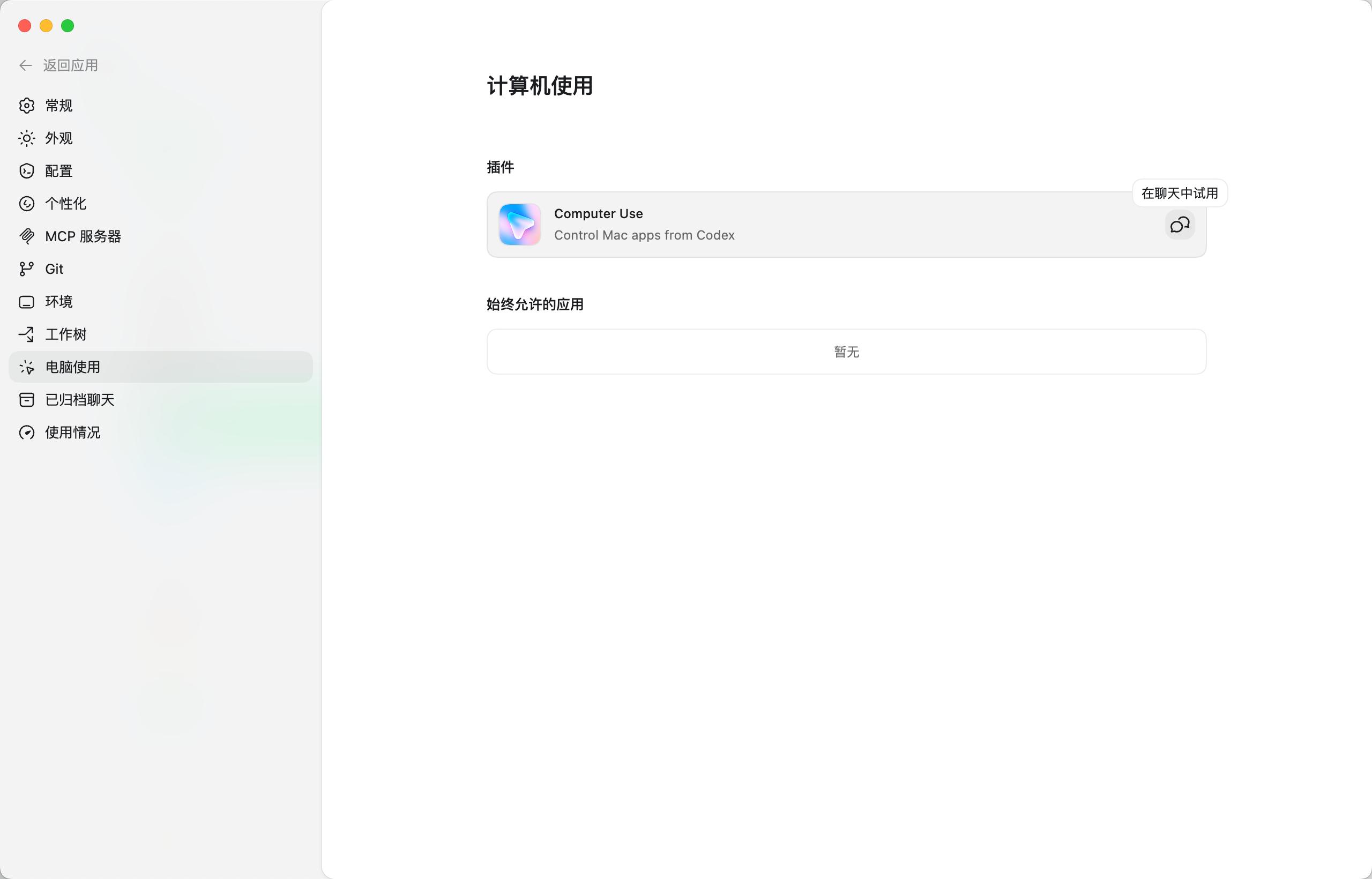
Previously, Codex executed tasks on computer software through commands, resembling simple requests like asking Siri about the weather. With the Computer Use capability, it can now assist with actual operations on the computer, particularly useful for front-end debugging, application testing, and interacting with software that does not have an open API.
Additionally, it supports multiple agents working in parallel on a Mac without affecting our use of other applications.
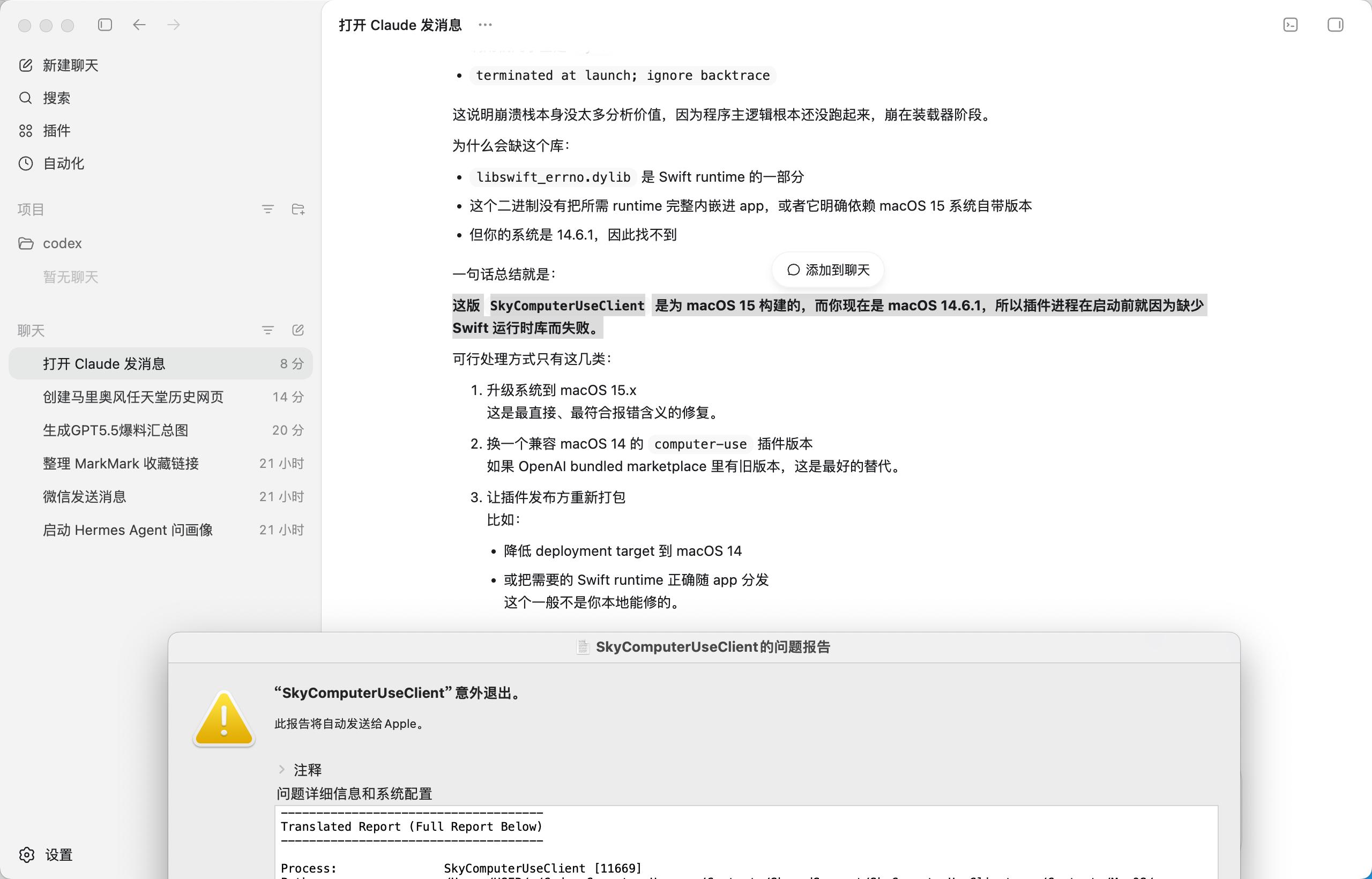
It is important to note that Computer Use is only supported on macOS 15 and above. During testing Codex on our computer (macOS 14.6.1), a SkyComputerUseClient issue report popped up automatically.
Moreover, Codex now supports a built-in browser, enhancing its ability to handle web scenarios. The web pages generated within Codex can be annotated directly, providing more precise operation instructions for rapid iteration in front-end, application, and game development.
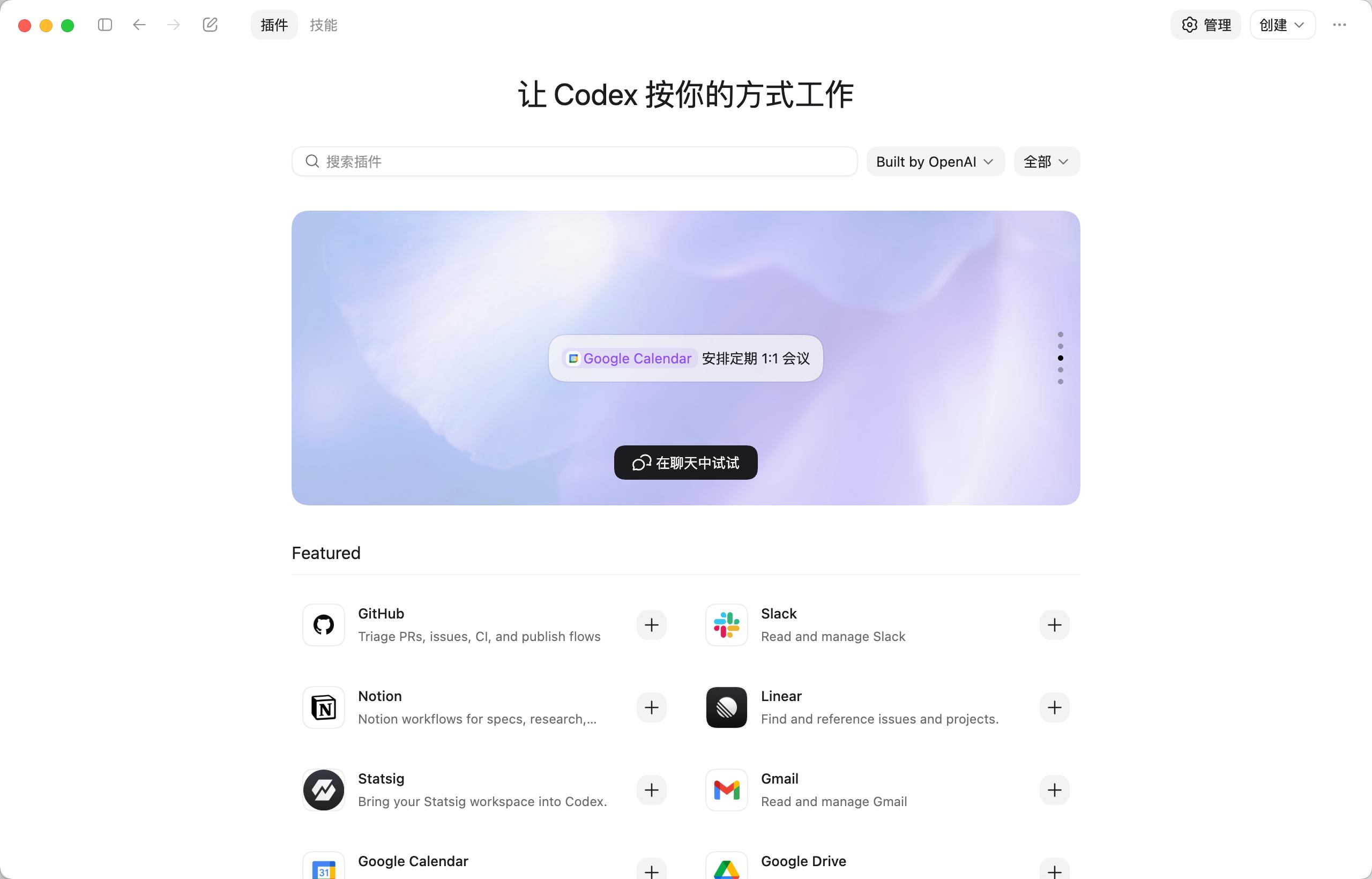
From coding, design, lifestyle, productivity to research, Codex now features a rich plugin system to handle various tasks.
This update also introduced over 90 new plugins and a more extensive tool integration, allowing Codex to access more tools, gather more context, and perform cross-platform operations. Popular plugins mentioned include Atlassian Rovo (JIRA), Microsoft Suite, Neon by Databricks, Remotion, Render, Superpowers, and more.
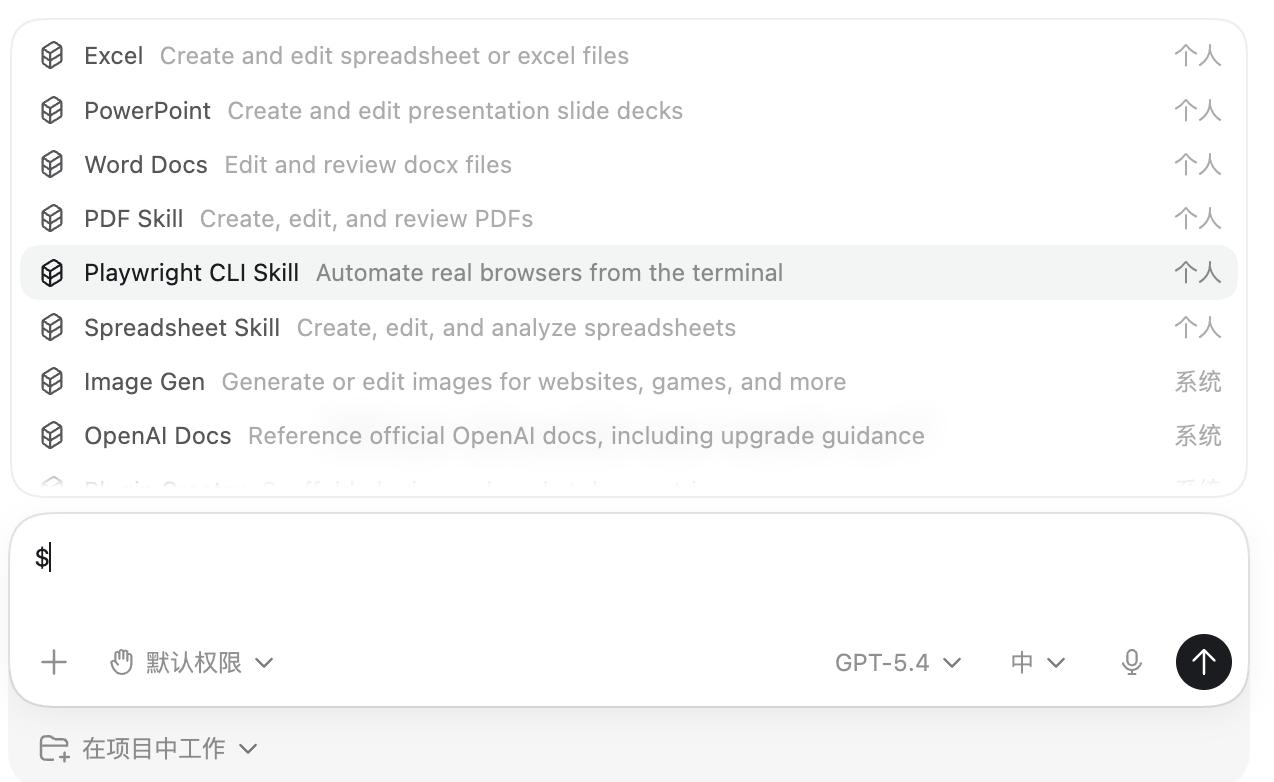
In the Codex application, we can quickly access various Codex configurations by entering a slash, and by typing a dollar sign, we can select different Skills, including various Skills installed locally.
Additionally, with the upgrade of Codex’s Automation feature, we can reuse previous conversation threads while retaining existing context. The new automation also supports Codex in planning subsequent tasks autonomously, executing tasks at a future time, and even supporting long-term tasks lasting days or weeks.
The official statement indicated that this update is mainly used for code submission merges, tracking daily to-do items, and information tracking across different platforms and tools.
There are also minor updates for desktop application interactions, such as adding multi-tab terminal windows and allowing the sidebar to open files and preview PDFs, spreadsheets, PPTs, and other documents.
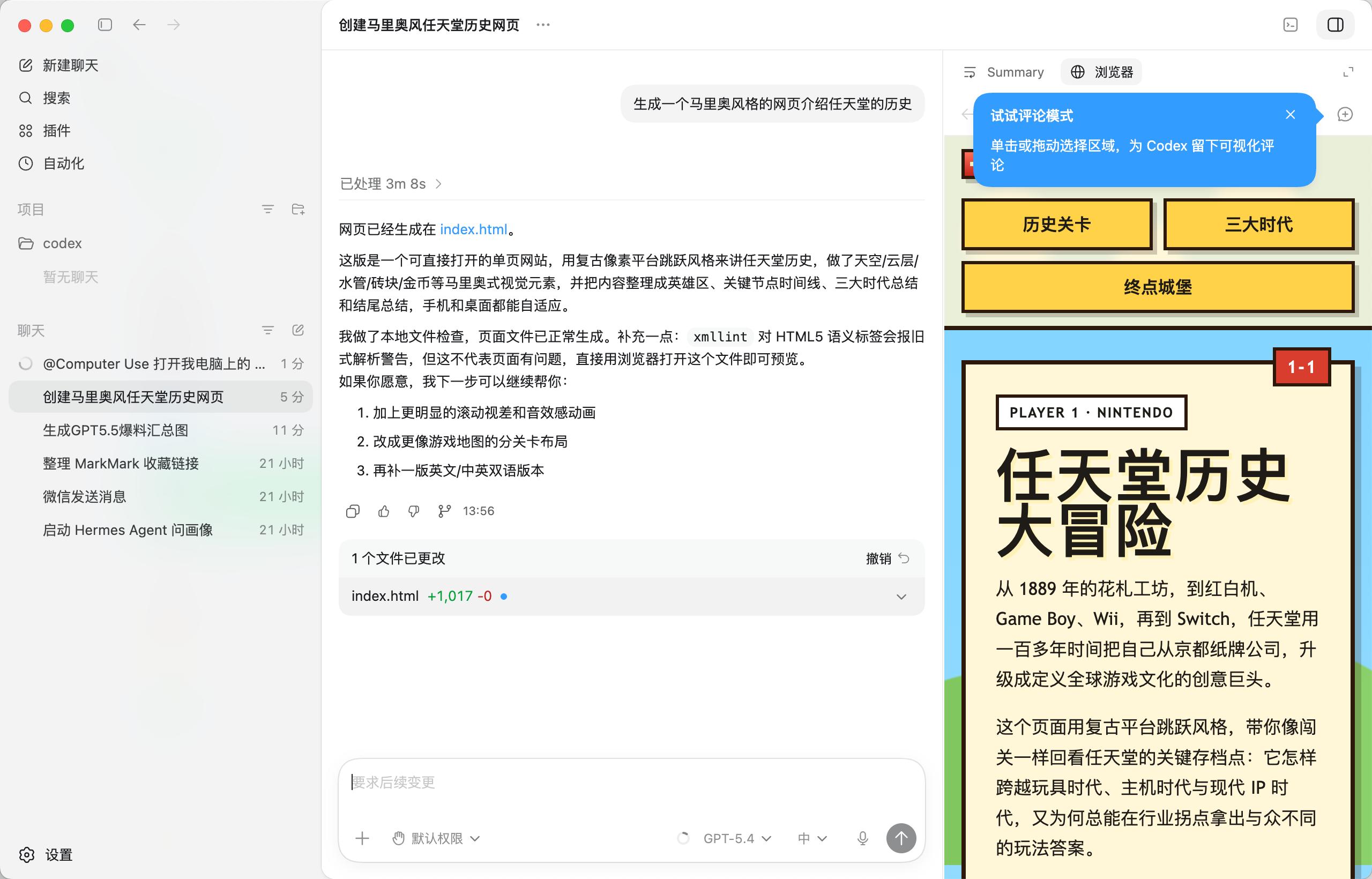
The new summary panel can continuously track the plans and progress of current tasks, reference information sources, and output results. These enhancements make Codex feel more like a unified workspace rather than a single chat window.
Maintaining Agent Memory with Timed Screenshots
Personalized memory functionality has always been a significant challenge for AI. While AI can retain vast amounts of knowledge, it needs to manage each user’s private memory and working memory in a way that does not consume excessive tokens while still being effective.
Especially with Agent tasks that consume a lot of tokens, if the Agent needs to remember all the context generated by each user daily, even a million tokens may not suffice.
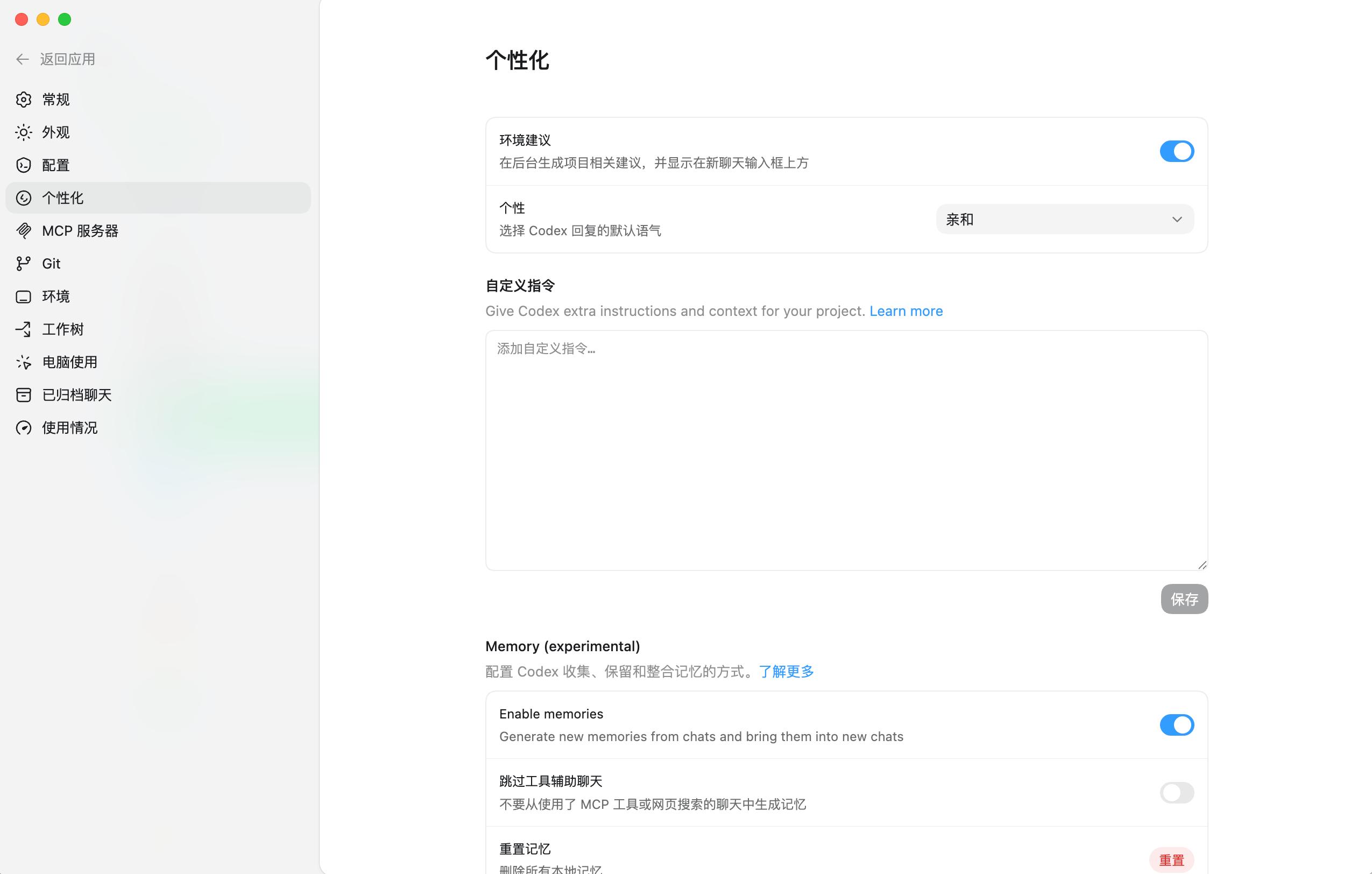
Last week, OpenAI introduced a memory feature for Codex, enabling it to remember our personal preferences, previous corrections, and other crucial information that is not easily accessible.
To acquire more memory and process our workflows more quickly, Codex launched the Chronicle feature, which essentially observes our screens, remembers our work, and feeds this memory to the AI.
Specifically, after enabling the Chronicle feature in Codex settings > personalization, it automatically performs these operations: screen context capture → local temporary screenshots → background agent analysis → temporary Codex session summary → generates local Markdown memory → uses it as context in subsequent sessions.
Once Codex obtains screen recording and accessibility permissions, Chronicle will run a sandbox Agent in the background. These Agents use the default model GPT-5.4-mini to periodically initiate a temporary Codex session based on captured screen images, organizing recent screen context into memory.
Screenshots will only be temporarily stored locally, and Codex mentions that during operation, screenshots older than 6 hours will be automatically deleted.
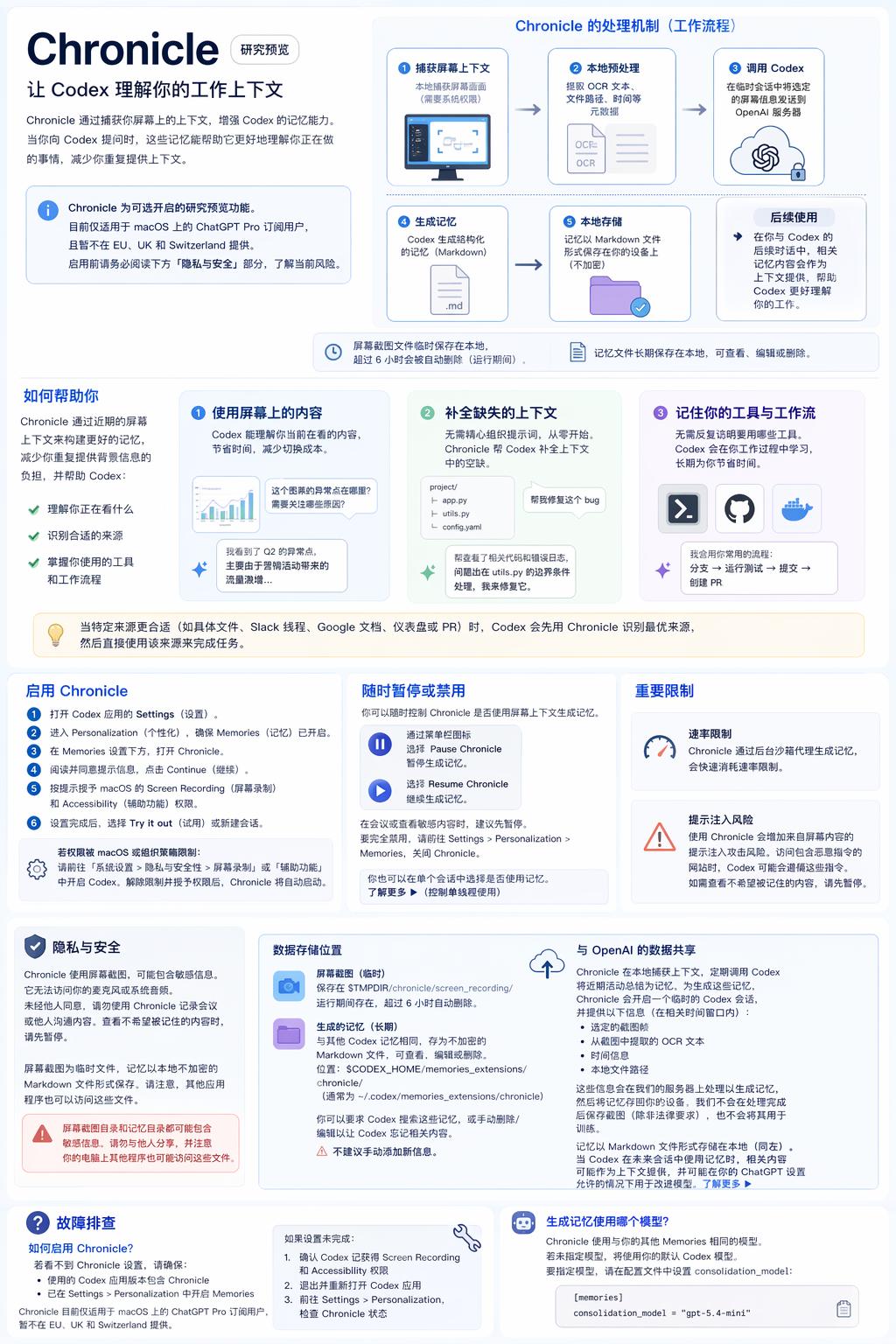
The information generated by GPT Image 2
In future conversations with Codex, it will automatically retrieve these memory files to use as context, reducing the need for us to repeatedly describe the background.
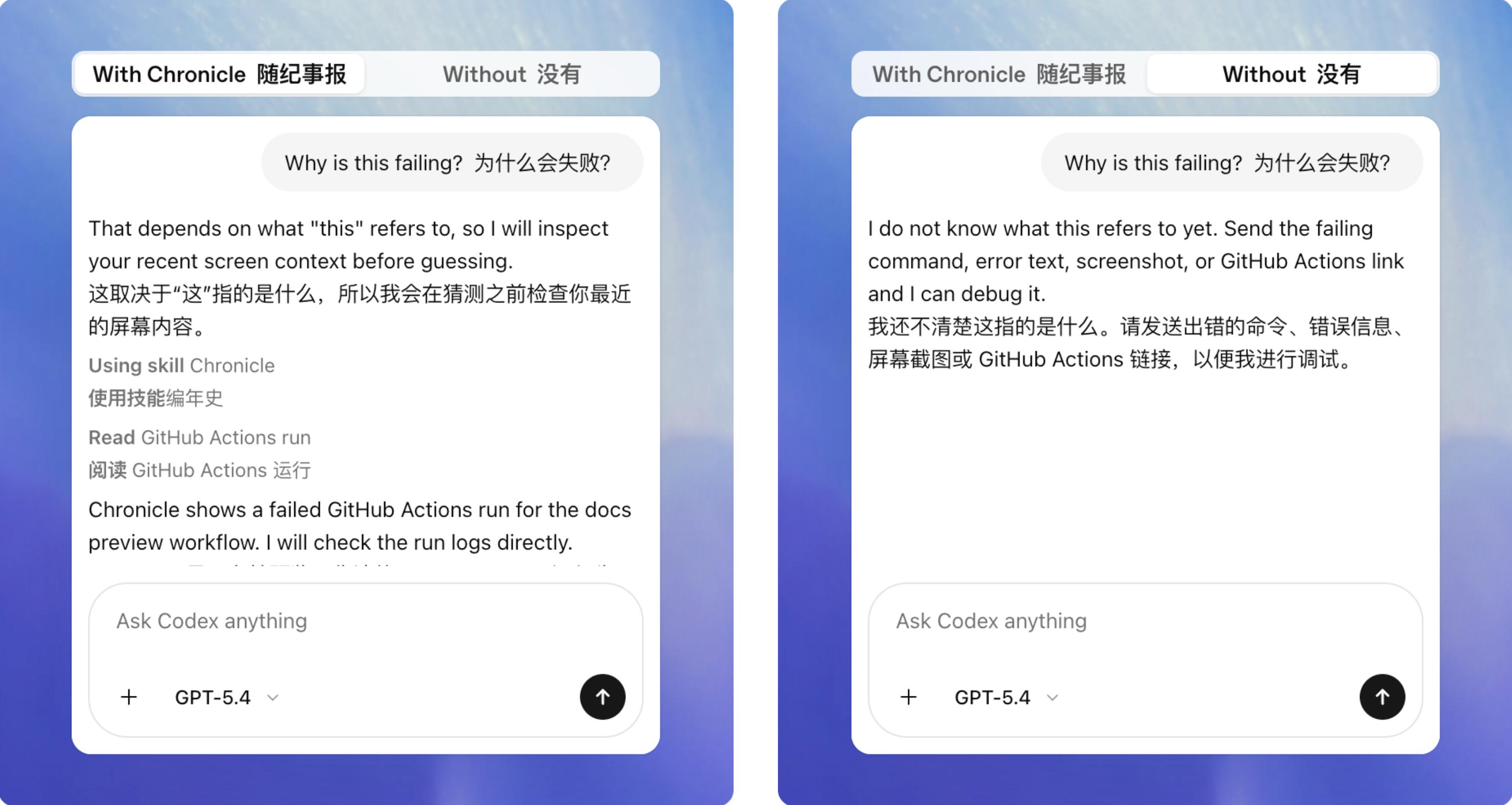
OpenAI has also provided multiple examples, such as if Chronicle is not enabled, Codex would not understand what we mean by “this will fail” without context.
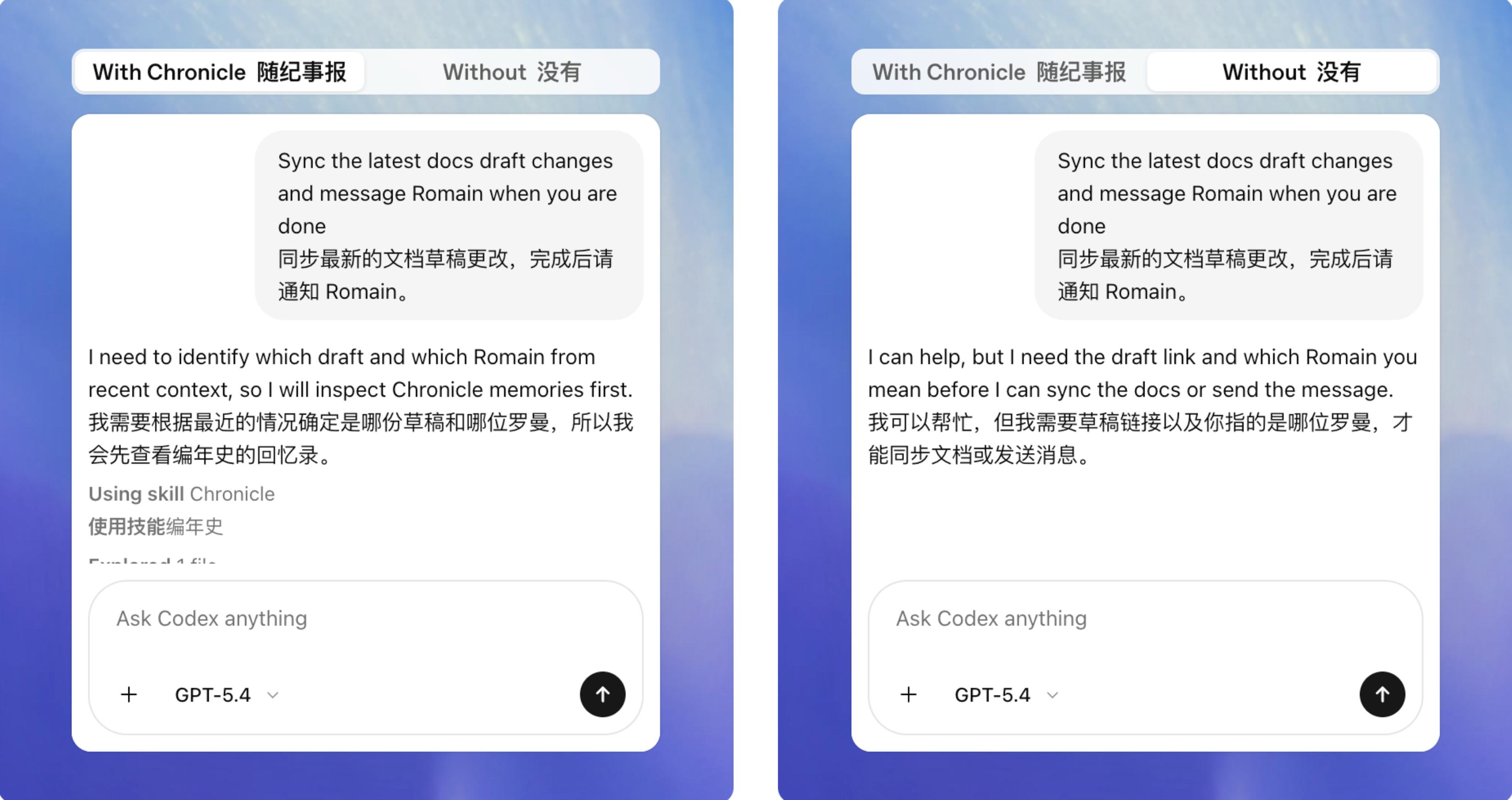
For personal tasks involving names, project titles, etc., outside of general knowledge, Codex will also automatically supplement context based on the information obtained from Chronicle.
The ability to capture screen images means that Chronicle can remember the entire workflow of tasks processed with Codex, including our workflows and commonly used tools. For example, a Codex using Chronicle will know the format and tool used for a promotional material, whether it’s Google Docs or Markdown.
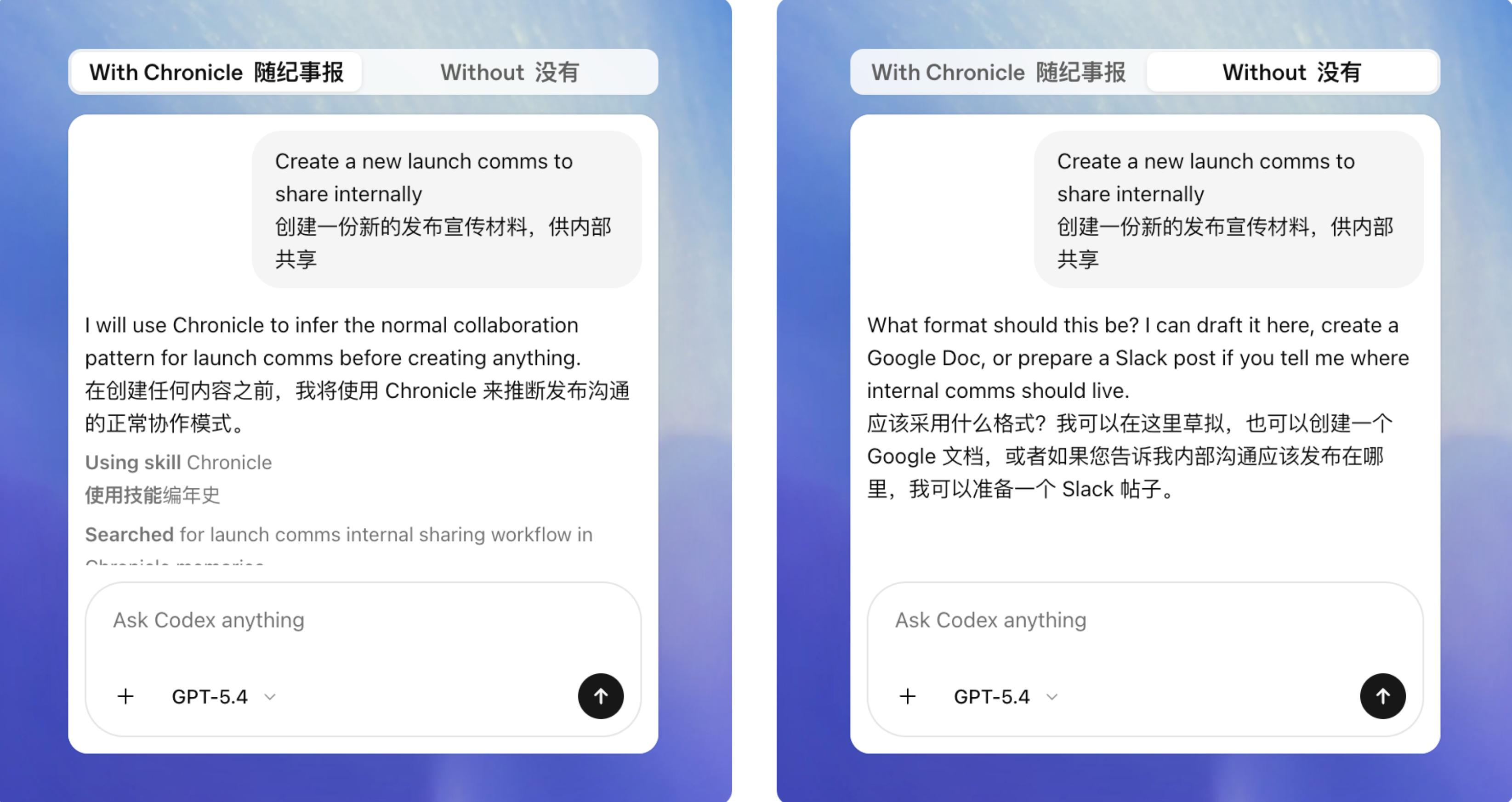
However, this feature also faces some controversies. For instance, the visual recognition method may consume a significant amount of tokens, and more seriously, these screenshots might contain sensitive information visible on our screens.
Although OpenAI states that all saved memories will be stored in local markdown documents for users to review at any time, Codex can identify what information it has obtained from these screenshots. They also warn users that when Chronicle captures screenshots of risky websites, those sites may inject malicious commands hidden in prompts, which Codex could execute.
Currently, the Chronicle feature is only available to ChatGPT Pro ($200/month) users and is launched as a research preview for the macOS version of Codex. Once Chronicle is officially launched, it is expected that Codex will open it up to more users.
Mobile Remote Control, Digital Pets, and the Potential Launch of “Hermes Agent”
Recently, Codex has been referred to as a product striving to catch up with Claude. While some say that OpenAI lacks originality and follows trends, the competition between good products can ultimately benefit users.

Codex developers have asked users for feedback on X, and many responded enthusiastically, suggesting the addition of mobile control functionality and integration into the ChatGPT app, both features currently offered by Claude.
Some users also reported various bugs in Codex, such as memory leaks and the inability to delete conversation archives.
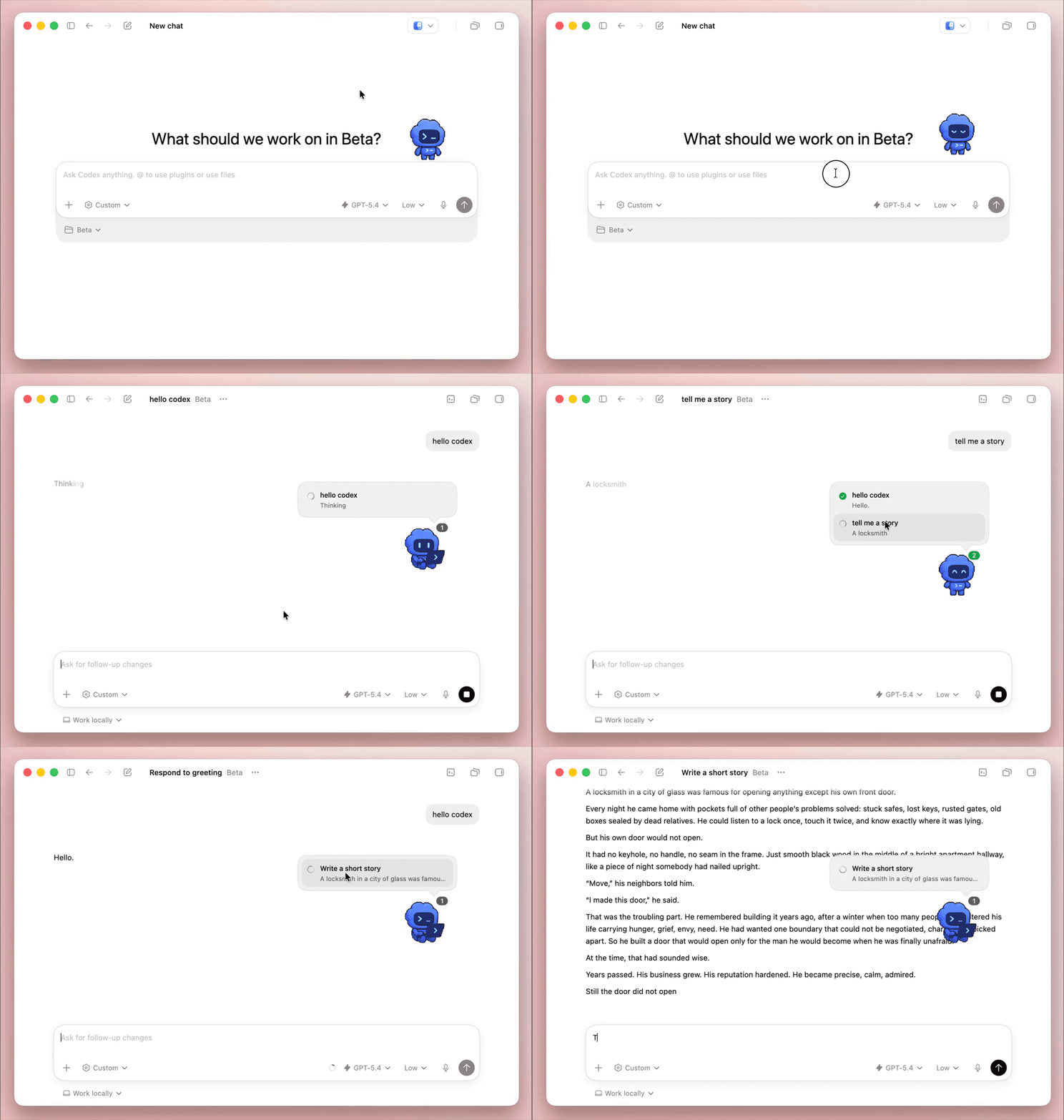
Recent leaks about Codex updates also mentioned plans for a small digital pet to be placed on the Codex desktop to indicate the status of ongoing conversations.
This digital pet will have eight preset appearances, and users can create and use their own virtual images.
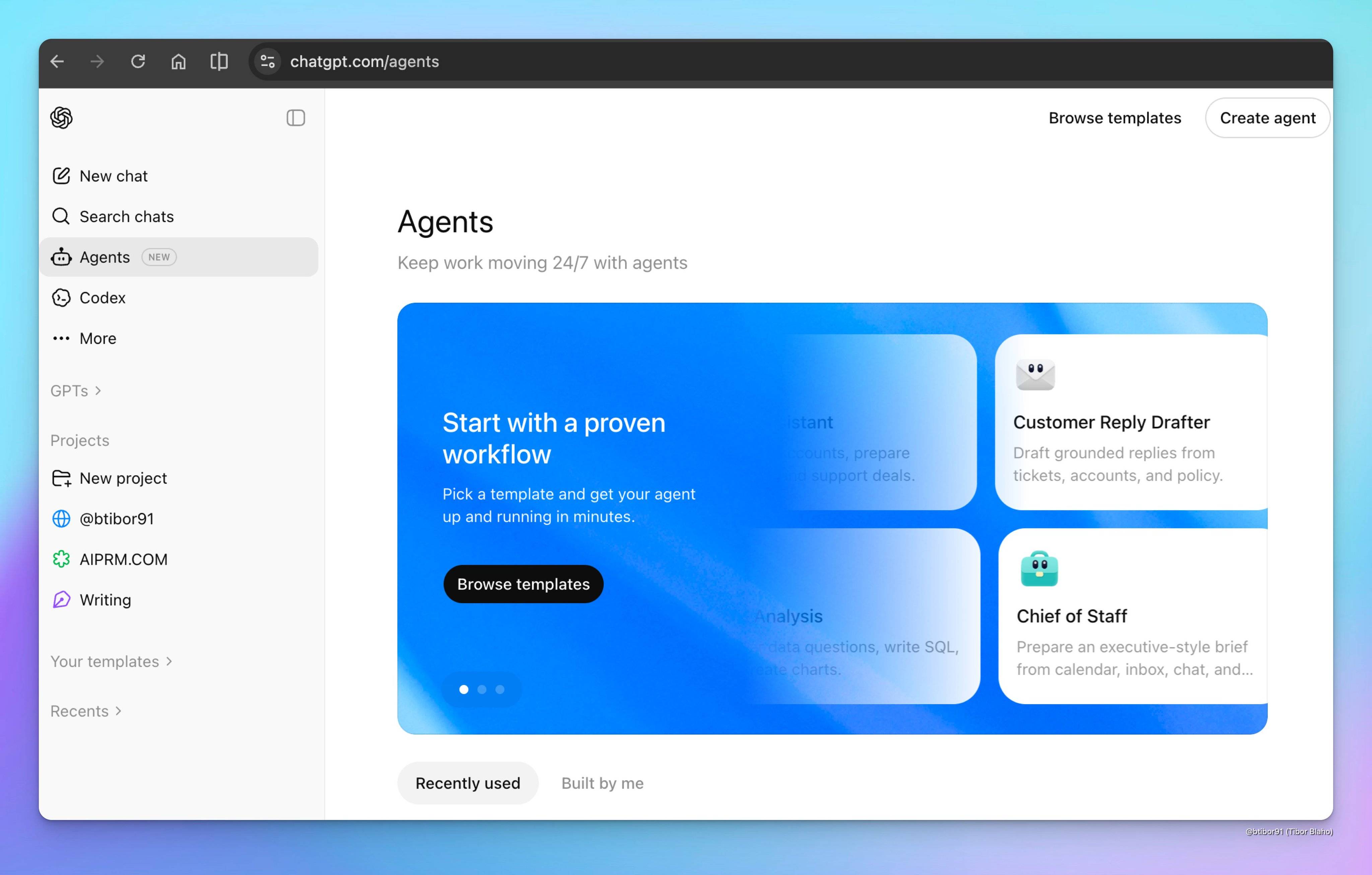
Another leak indicated that OpenAI is developing an agent for ChatGPT (codenamed Hermes), which will include features like agent builders, templates, scheduling, options for using agents in Slack, adding applications, skills, files, memory, instructions, and more.
Currently, Codex is an actively developed product, and OpenAI is unlikely to cede the local agent market to Claude.
Not to mention that OpenAI, as the elder brother in the AI field, recently saw Gemini quietly release a desktop application, which received criticism from users as “terrible.”
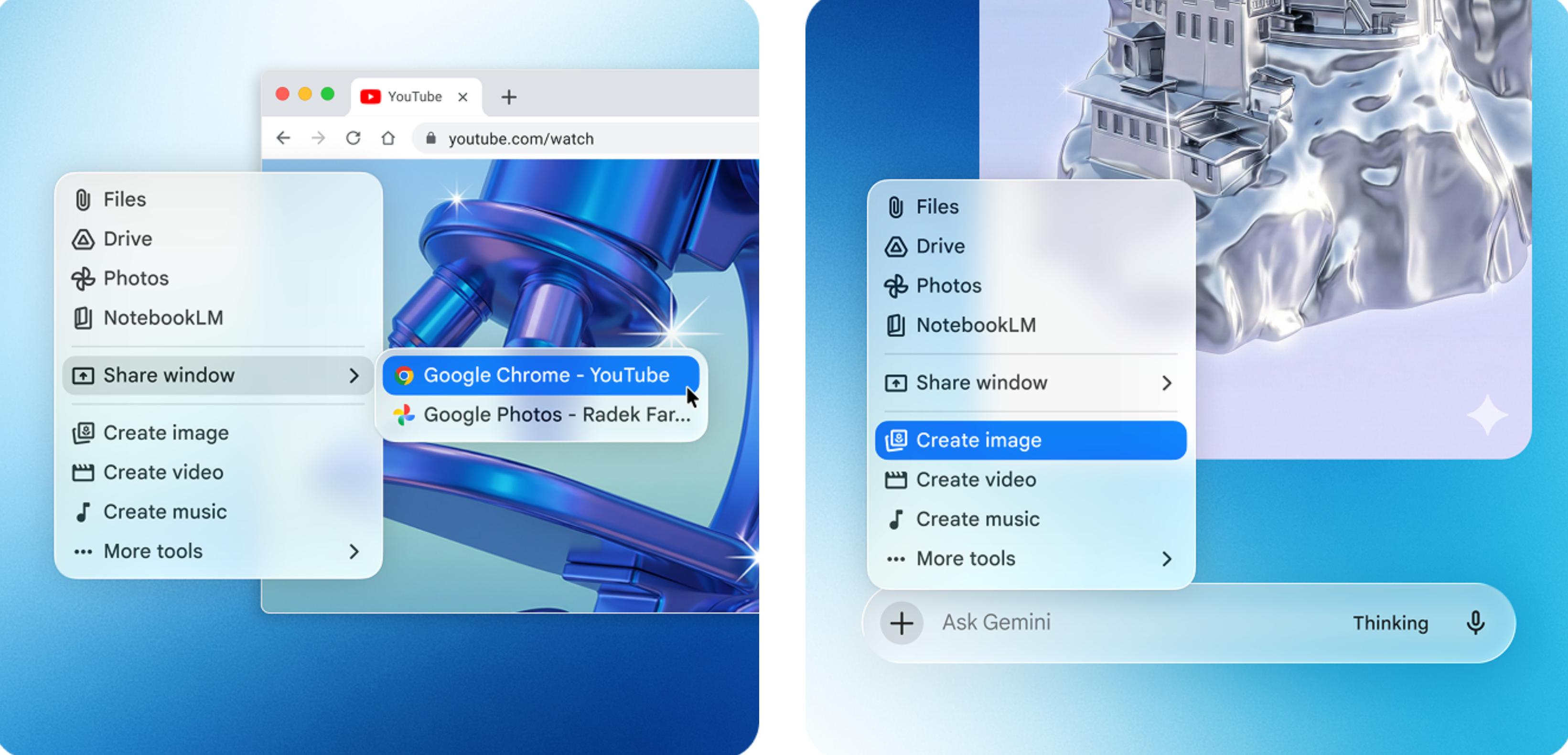
We can only encourage OpenAI and Gemini to quickly end Claude’s lead in local agent assistants and coding.
Comments
Discussion is powered by Giscus (GitHub Discussions). Add
repo,repoID,category, andcategoryIDunder[params.comments.giscus]inhugo.tomlusing the values from the Giscus setup tool.